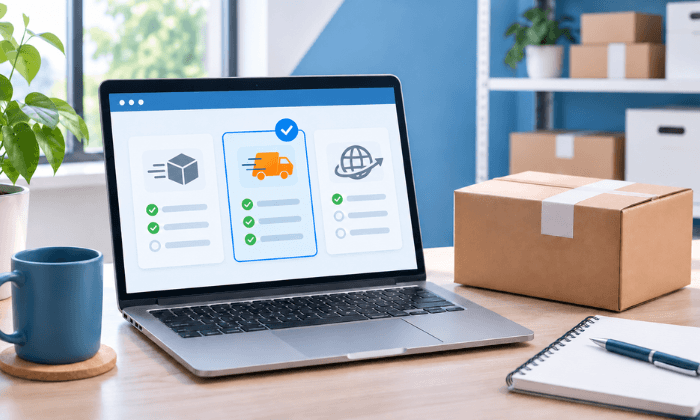
A shipping platform can produce a label and still leave you copying order details, correcting addresses, or searching for a place to leave the package. Factor those gaps into your buying decision.
To choose shipping software for a small business, define your shipment needs, confirm carrier and sales-channel compatibility, calculate total operating cost, and test the full process from pickup to drop-off. Choose the platform that handles your required tasks with the fewest workarounds—not the longest feature list.
This guide is for U.S. sellers, offices, and service businesses choosing software for their own outbound packages.
1. Define What Your Business Needs to Ship
Start with recent shipment records rather than a forecast alone. Include a normal period and a busy period if you have both.
- Volume—packages per month and on your busiest dispatch day.
- Packages—finished weights, outside dimensions, packaging types, and unusual items.
- Destinations—domestic or international, residential or commercial, and recurring recipients.
- Delivery needs—customer deadlines, tracking, signatures, and return requirements.
- Order sources—an online store, marketplaces, invoices, email, or walk-in requests.
- Handoff—carrier pickup, staffed drop-off, travel time, and dispatch cutoffs.
Then identify the problem you want to solve. An office sending documents to repeat clients may need saved addresses and searchable records. An online seller may need order imports and tracking updates sent back to its store. Those are different buying requirements.
If you have not established a repeatable process, start with the guide to managing shipping for a small business. Software should support that process, not determine your customer promise.
Separate Essential Features From Future Possibilities
Make two lists. Essential features must work before launch. Optional features can wait until a demonstrated need justifies their cost.
For example, a required marketplace connection is essential if entering orders manually would make your dispatch target unworkable. Custom tracking-page colors may be optional. Do not let an optional feature compensate for a failed essential task.
2. Verify Carrier Access and Integrations
A carrier logo does not tell you which services your account can purchase. Confirm the carrier, service, account arrangement, package eligibility, and destination you actually need.
Understand Whose Carrier Account You Will Use
Ask whether you will connect your own carrier account or use shipping options supplied through the platform. Clarify who pays for postage, who receives later adjustments, and who handles label refunds or shipping support.
If you already have negotiated rates, test your connected account. Do not assume a platform-supplied rate is lower, or that every service in your carrier contract will appear.
ShipDesk’s carrier integration information describes connections to USPS, UPS, FedEx, and DHL. Specific services depend on account configuration, eligibility, and location support. Verify the services you need rather than assuming the carrier list is universally available.
Test the Data Connection, Not Just the Integration Name
A carrier connection is different from an e-commerce integration. The first enables carrier-related functions.
The second may move orders and shipment information between your store and the shipping platform.
If you need a Shopify, WooCommerce, Etsy, or other sales-channel connection, have the provider demonstrate your exact workflow.
Check whether it can:
- Import the right orders without duplicates.
- Preserve apartment numbers, item quantities, and order references.
- Handle a canceled order or an address change before dispatch.
- Send the tracking number and fulfillment status back to the correct order.
Confirm whether the connection is native, file-based, or supplied by another service. Ask about separate fees, setup work, sync timing, and support ownership. Do not assume ShipDesk supports a sales-channel connection unless its team confirms it for your account.
3. Compare Rates and the Full Cost of Operating the Software
The lowest subscription price is not necessarily the lowest operating cost. Compare the same shipment mix and include the work each platform requires.
CO— by the U.S. Chamber of Commerce recommends assessing shipping software against must-have features, costs, integrations, and existing workflows.
Use that approach, but don’t rely on historical vendor prices.
Use Matched Shipment Details
For each candidate, hold the origin, destination, ship date, finished package dimensions, weight, address type, and required extras constant.
Compare services that meet the same delivery need.
Record the displayed total and whether pickup, signature, or other requested services are included.
Keep delivery estimates separate from service guarantees and their conditions.
USPS’s postage verification guidance explains why accurate package weight and dimensions matter and how discrepancies can generate adjustments or fees.
A quoted price is only as useful as the shipment data behind it.
For a repeatable method, use the guide to compare shipping rates for the same package.
Calculate Total Cost, Not Just the Monthly Fee
Request a written breakdown of subscription charges, label or transaction fees, shipment limits, user seats, connected-account charges, integration fees, support tiers, and cancellation terms. Ask how the plan changes during a busy month.
Also include packing labor, supplies, pickup charges or drop-off travel, equipment, and time spent fixing errors.
Avoid counting the same fee twice if it is already included in the displayed shipment total.
Use this planning calculation over the same period for every candidate.
Operating cost per shipped order = (software fees + carrier charges + labor + packaging + handoff costs + other applicable costs) ÷ shipped orders.
Illustrative example—not a vendor quote or a promised saving. Assume 120 shipments per month and a labor value of $24 per hour.
A $30 monthly software fee adds $0.25 per shipment. If testing shows that it saves one minute per shipment, the recovered capacity is two hours, valued at $48. The difference is $18 before other costs.
That time saving does not automatically reduce payroll. Instead, it may give you capacity to pack orders or serve customers.
Substitute your measured time and actual costs before deciding.
4. Check Accuracy, Printing, Records, and Support
Use the following comparison sheet during demonstrations. Record what you observed, not simply whether the salesperson said a feature exists.
| Requirement | Test in the trial | Evidence to keep |
| Carrier and service access | Quote your package through the account you will use. | Carrier, service, account context, and displayed total. |
| Order connection, if needed | Import an order and return its tracking information. | Matching order ID and fulfillment status. |
| Shipment accuracy | Edit an address or package detail before purchase. | Updated quote and final shipment summary. |
| Label handling | Print, reprint, and review the void procedure. | Readable label, transaction record, and refund terms. |
| Records and tracking | Find a prior shipment and its charges. | Shipment ID, tracking number, and billing reference. |
| Physical handoff | Confirm your pickup or drop-off arrangement. | Acceptance requirements, hours, and available proof. |
Check the physical equipment too. Print a label with your actual printer, browser, label size, and operating system.
Confirm that it prints without cropped addresses or distorted barcodes. If you need a scale or scanner connection, test that exact device.
For an example of the shipment steps to examine, ShipDesk’s documented shipping features include guided entry, saved addresses, address validation, a pre-purchase review, shipment history, tracking, and billing records.
Find Out What Happens When Something Goes Wrong
Ask the provider to demonstrate label correction, reprint, and void or refund request.
A reprint should not silently become another label purchase. Refund eligibility and timing need separate confirmation.
Test support with a question about your own setup. Confirm contact methods, hours, plan restrictions, and how urgent issues are escalated.
Software support, carrier claims support, and drop-off location help may involve different teams.
Protect Customer Information and Keep an Exit Route
Shipping records contain customer addresses and contact information. Ask about individual logins, access restrictions, multi-factor authentication, account recovery, data retention, and removing a departing employee’s access.
NIST’s small-business cybersecurity guidance recommends multi-factor authentication where available, along with strong passwords and other safeguards.
Treat security controls as requirements to verify, not assumptions about any provider.
Request an export sample before committing. Check whether it contains the addresses, shipment references, tracking numbers, and billing information you need.
Establish what remains accessible after cancellation and who controls connected carrier credentials.
5. Include Pickup or Drop-Off in Your Decision
Label creation is not physical package handoff. A platform may fit your online workflow but leave you with a pickup schedule or drop-off route that doesn’t fit your day.
Before choosing, confirm the acceptance point for your selected carrier and service, current hours, package restrictions, and available proof of handoff.
Ask about the carrier collection schedule separately from the location’s closing time.
For a staffed option, use the ShipDesk location directory to identify a participating location. Confirm its current carrier support and services before traveling.
Do not assume every location accepts every label or provides the same assistance.
Keep label creation, a location receipt, and a carrier acceptance scan separate in your records.
They describe different events; don’t present one as proof that another occurred.
6. Run a Trial With Your Own Shipments
Test a small, representative group rather than relying on a polished demonstration. Use draft quotes or an approved test environment first.
Purchase labels only for shipments you intend to send.
Test Three Shipment Scenarios
- A routine shipment—use a recurring recipient and a package you send often. Enter time, compare, review, and print.
- A difficult shipment—use a genuine edge case such as a large, lightweight box, an apartment address, or a required signature. Check eligibility and the resulting quote.
- A correction—change the package weight or destination before purchase. Confirm that rates refresh and the final label matches the approved details. Separately test reprinting and the documented void process.
For each scenario, log the starting inputs, displayed charge, task time, errors, support needed, and record created. Complete at least one intended shipment through your planned handoff route and track it.
Set Pass or Fail Conditions Before You Start
Your criteria might require a working order connection, a readable label on your printer, access to the required service, and a shipment record your bookkeeper can reconcile.
Have a second team member repeat the routine task from a short written checklist.
If only the person who configured the account can complete it, include the training or process changes in your evaluation.
Reject a candidate that fails an essential requirement until the provider demonstrates a working resolution.
Compare cost, time, and convenience only among platforms that pass.
When ShipDesk Belongs on Your Shortlist
Consider ShipDesk when you need to manage shipping online and use participating staffed locations for package drop-off and support.
It connects shipment creation with a physical handoff option rather than treating label purchase as the end of the process.
Its published workflow covers address entry, packaging selection, available carrier comparisons, review and payment, and shipment records.
Carrier access and location services vary. Confirm requirements such as sales-channel imports, bulk processing, returns, printer compatibility, and team permissions before choosing.
If your operation requires inventory synchronization or warehouse picking workflows, test those needs separately.
Don’t treat a shipping platform as a warehouse management system unless you have evidence it supports the required functions.
Choose the Software That Passes Your Workflow Test
Choose a platform only after it can process your shipments, produce usable labels, preserve the records you need, and support your handoff route.
Then compare operating cost and staff effort. Recheck the choice when your volume, destinations, or sales channels change.
See whether ShipDesk’s online tools and participating drop-off locations fit your process.
Explore Small-Business Shipping