
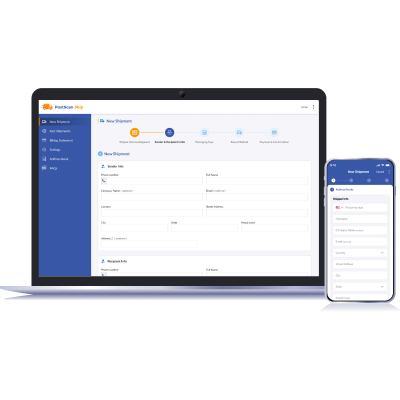
Create Shipments with a Guided Workflow
ShipDesk guides you through the shipping process from start to finish.
- Enter shipper and recipient details
- Validate addresses automatically
- Select packaging and carrier options
- Review and pay before submitting
Saved Addresses & Address Book
ShipDesk includes a built-in address book so you do not need to re-enter information every time.
- Save individuals and organizations
- Search and select saved addresses instantly
- Edit or remove addresses at any time
Flexible Packaging Options
Choose the packaging option that best fits your shipment.
Custom Packaging
- Enter your own package type and weight
- Ideal for envelopes or non-standard boxes
Carrier Packaging
- Select official USPS, UPS, FedEx, or DHL packaging
- Automatically applies carrier size and weight limits

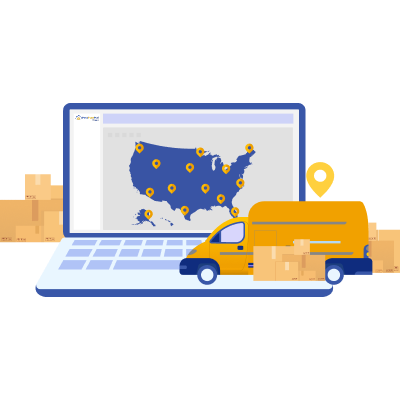
Multi-Carrier Shipping
ShipDesk supports multiple major carriers so you can choose the best option for each shipment.
- USPS
- UPS
- FedEx
- DHL
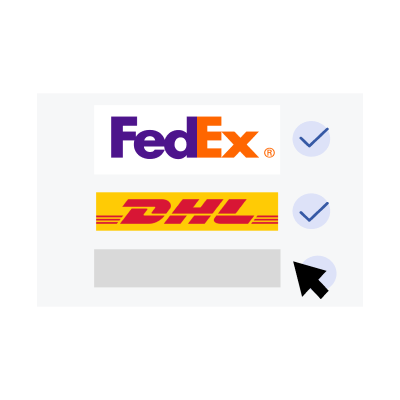
Bring Your Own Carrier Accounts or Use Ours
ShipDesk supports both user-connected carrier accounts and ShipDesk-provided options, depending on availability.
- Connect your existing carrier accounts
- Use ShipDesk-provided carrier options where supported
- Clear carrier availability based on your setup
Real-Time Rate Comparison
Once packaging is selected, ShipDesk displays available shipping methods.
- Compare delivery speed and cost
- Filter by carrier or view all methods
- No hidden fees at checkout

Review & Pay with Confidence
Before finalizing a shipment, ShipDesk provides a clear review screen.
- Shipper and recipient information
- Selected carrier and service
- Packaging and weight details
- Total shipping cost

Past Shipments & Tracking History
ShipDesk keeps a detailed history of all shipments.
- View shipment IDs and tracking numbers
- Check delivery status
- Search by name, tracking number, or shipment ID
- Filter by shipment type and date range
Billing Statements & Payment History
ShipDesk provides a clear billing statement section tied to your account.
- View shipping invoices and charges
- See payment status at a glance
- Track historical shipping costs
Secure Account-Based Payments
ShipDesk supports saved payment methods for faster shipping.
- Secure credit card storage
- Faster checkout for repeat shipments
- Designed for ongoing business use

Built for Drop-Off at ShipDesk Locations
ShipDesk is designed to connect online shipping with physical drop-off points.
- Create labels before arriving
- Drop off packages at participating ShipDesk locations
- Some locations offer staff-assisted shipping
Designed for Businesses and Individuals
Whether you ship occasionally or regularly, ShipDesk is designed to fit your workflow.

Small and medium businesses

Service providers and offices

Individuals without daily carrier pickups

Organizations that want centralized shipping records
Whether you ship occasionally or regularly, ShipDesk is designed to fit your workflow.